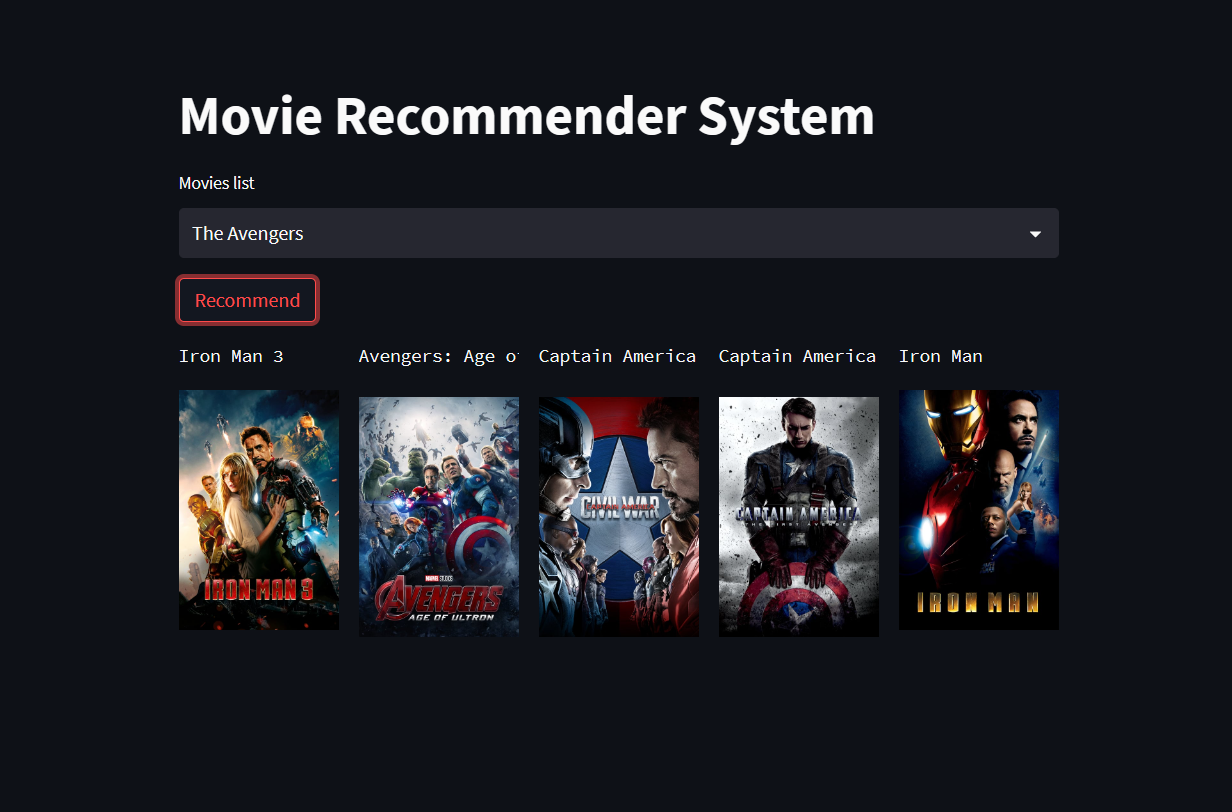
From README.md in the repository.
📍 Overview
This project is a Content-Based Recommendation System built using Python and Streamlit. It solves the problem of "choice paralysis" by analyzing metadata from the TMDB 5000 Movie Dataset to suggest movies that share narrative, thematic, or production similarities with a user's selection.
Key Features
| 🚀 Performance |
🎨 UX/UI |
🔧 Engineering |
Instant Results:
Generates 5 recommendations in milliseconds using pre-computed similarity matrices. |
Visual Posters:
Fetches high-res movie posters dynamically via the TMDB API. |
Vectorization:
Uses CountVectorizer to convert text data into numerical vectors. |
Smart Filtering:
Filters based on a combined logic of Cast, Crew, Keywords, and Genres. |
Responsive Design:
Clean, mobile-friendly interface powered by Streamlit. |
Cosine Similarity:
Computes the geometric distance between movie vectors to find matches. |
🧠 How It Works
The engine uses Cosine Similarity to measure the distance between movies in a multi-dimensional space.
- Data Cleaning: We merge the
Credits and Movies datasets.
- Feature Engineering: We create a unified
tags column by concatenating:
- Movie Overview
- Genres
- Keywords
- Top 3 Cast Members
- Director
- Vectorization: We remove stop words and apply stemming, then convert the text tags into 5000-dimensional vectors.
- Similarity Metric: We calculate the cosine of the angle between vectors. A smaller angle implies higher similarity.
$$\text{Cosine Similarity}(A, B) = \frac{A \cdot B}{|A| |B|}$$
📐 System Architecture
Below is the high-level data flow pipeline, from raw CSV ingestion to frontend display.
flowchart LR
    subgraph Data Processing
    A[Raw CSVs] -->|Pandas| B(Data Cleaning)
    B -->|Feature Extraction| C{Tags Creation}
    end

    subgraph Model Building
    C -->|CountVectorizer| D[Vector Space]
    D -->|Cosine Similarity| E[Similarity Matrix]
    E -->|Pickle Dump| F[(Model Files)]
    end

    subgraph Frontend
    G[User Input] -->|Select Movie| H[Streamlit App]
    H -->|Load .pkl| F
    H -->|API Call| I[TMDB API]
    I -->|Return Poster| H
    H -->|Display| J[Recommendations]
    end
├── movies_recommendation_system.ipynb # Jupyter notebook for data training
├── movies_rs.py # Main Streamlit application
├── tmdb_5000_credits.csv # Dataset 1: Credits
├── tmdb_5000_movies.csv # Dataset 2: Movies metadata
├── movies.pkl # Processed dataframe (generated)
├── similarity.pkl # Similarity matrix (generated)
├── requirements.txt # List of dependencies
└── README.md # Project documentation
Installation & Setup
Follow these steps to set up the project locally.
- Clone the Repository
Bash
git clone https://github.com/Soham-o/Movie_Recommender_System.git.
cd movie-recommender
Install Dependencies
Bash
pip install -r requirements.txt
Generate the Models
Note: Due to file size limits, the model files are not included in the repo. You must generate them.
Open movies_recommendation_system.ipynb in Jupyter Notebook.
Run all cells.
This will generate movies.pkl and similarity.pkl in your directory.
- Run the App
Bash
streamlit run movies_rs.py
How to use this:
- Create a file named
README.md in your project folder.
- Paste the code block above into that file.
- Customize:
- Replace
https://github.com/Soham-o/movie-recommender.git with your actual repo URL.
- If you have screenshots of your app running, replace the
https://via.placeholder.com... links with the actual paths to your images.
- Move your
.pkl files to a models/ folder if you want to match the structure in the readme, or update the text to match your current flat file structure.